Futuristic landscape with information flowing from a giant RSS symbol

In Praise of RSS and Controlled Feeds of Information

The way we consume content on the internet is increasingly driven by walled-garden platforms and black-box feed algorithms. This shift is making our media diets miserable. Ironically, a solution to the problem predates algorithmic feeds, social media and other forms of informational junk food. It is called RSS (Really Simple Syndication) and it is beautiful. What the hell is RSS? RSS is just a format that defines how websites can publish updates (articles, posts, episodes, and so on) in a standard feed that you can subscribe to using an RSS reader (or aggregator). Don’t worry if this sounds extremely uninteresting to you; there aren’t many people that get excited about format specifications; the beauty of RSS is in its simplicity. Any content management system or blog platform supports RSS out of the box, and often enables it by default. As a result, a large portion of the content on the internet is available to you in feeds that you can tap into. But this time, you’re in full control of what you’re receiving, and the feeds are purely reverse chronological bliss. Coincidentally, you might already be using RSS without even knowing, because the whole podcasting world runs on RSS. ...

September 26, 2025 · 9 min · 1843 words · Tom Burkert
Image of an humanlike android whose mask is being taken care of to reveal the robotic nature

The Case Against Anthropomorphic AI

Our old friend Pygmalion Humans have always anthropomorphized1 non-human entities, from ancient gods and natural forces to modern cars and ships. But our tendency to see machines as human-like has dramatically intensified with the advent of conversational AI. This isn’t entirely new - the word “robot,” coined and popularized by Čapek brothers in 1920, originally described artificial beings indistinguishable from humans. Our drive to find and create humanness in artificial entities runs deep, even back to the ancient times with myths like Pygmalion and Galatea. ...

September 7, 2025 · 21 min · 4307 words · Tom Burkert
A closeup shot of a large leaf

Dublin Botanical Garden & beautiful homegrown wallpapers

Whenever I get to travel, especially on business trips, I usually seek out two types of entertainment: botanical gardens and art galleries. Botanical gardens offer a soothing combination of being surrounded by vegetation (which is proven to be beneficial for mental and physical health), a low density of people (anecdotally, with similar benefits on yours truly :)), and in general a calm environment that helps recharging your batteries. In Japan, the term “shinrin-yoku” (~ forest-bathing) is used to describe the intentional activity of spending time in nature to boost your health, and as usual, the Japanese are onto something. ...

August 28, 2025 · 2 min · 424 words · Tom Burkert
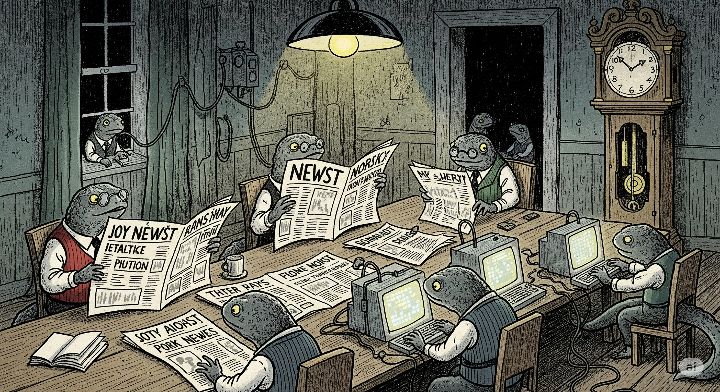
A drawing of several newts dressed up and studying newspapers or working at a computer

Čapek's Newts: An AI Reflection

Recently, I have been re-reading one of the classic books of Czech literature, Karel Čapek’s War with the Newts, and I have been intrigued by some of the parallels between Čapek’s newts and LLMs. Mind you, I am probably highly primed to associate and connect random things to LLMs given how much I read and talk about AI these days (a case of apophenia?). But hear me out! I think we’re on to something. ...

August 2, 2025 · 6 min · 1167 words · Tom Burkert
Screenshot of a Hyprland environment with terminal windows opened

Workspaces & tiling window management across operating systems

The problem Window management for GUI operating systems has been with us for decades, but it still feels a bit broken to me. Yes, everyone has their preferences and not everyone needs to run as many programs as I do at times, but there is something principally broken about having a bunch of windows stacked on top of each other and trying to Alt-Tab to the right one at all times. And I’m not the only one to think that. ...

July 20, 2025 · 10 min · 2110 words · Tom Burkert
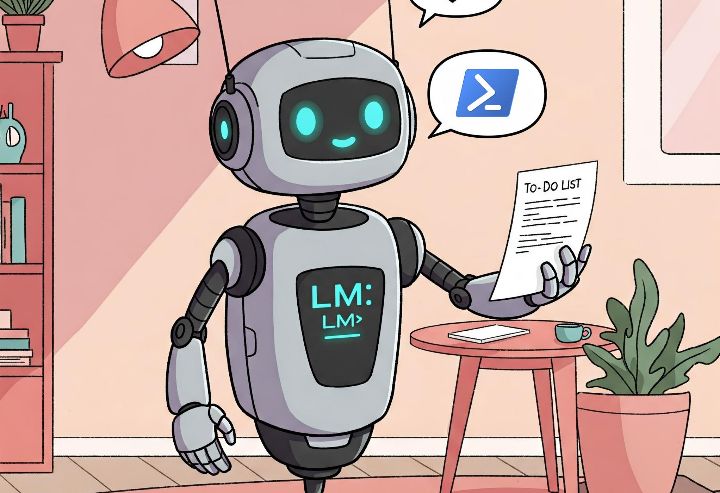
Robot holding a to-do list and producing Powershell code

LLMs: Are You Holding It Wrong?

Many moons ago (in fact long ago so that contemporary sources are beginning to be difficult to find), iPhone users were told they’re holding their phones wrong. This was one of the more memeworthy communication blunders of Apple and something we’re unlikely to see from them, but the reason I mention it here is that asking ourselves whether we’re holding the thing wrong is actually a good strategy for exploring novel use cases. ...

April 20, 2025 · 4 min · 845 words · Tom Burkert
Epomaker Galaxy80 keyboard

Solution to Epomaker keyboards F-row keys in linux

The Problem Recently, my Keychron K8 keyboard has died (PCB 💀), so I started hunting for a new keyboard. Another Keychron was out of the question, so I decided to give Epomaker a try. I stumbled into a B-stock Epomaker Galaxy80 and decided to give it a shot. I am very happy with the feel of the keyboard, typing feels much better than the K8, at least to me. However, I ran into a problem in linux (Fedora Workstation, although this is not distro-specific): I was unable to use the F-row (F1 - F12), so that Alt + F4 would not close the window, F11 would not trigger full screen etc. When I used the online keyboard testers, it would register keys/commands such as “Files”, “Calculator”, “Volume Up/Down” etc.: I searched the keyboard manual, thinking it must be some sort of an Fn lock being activated, but there does not seem to be a feature like that on my keyboard. Even worse, using the Fn key + one of the F-row keys was not triggering the actual F-row key either. I had no (useful) way to use my F-row keys! This issue has been reported with many other Epomaker keyboards, such as EP84, TH80, RT80, RT100 or GMK87, but also with other brands (including some Keychrons). The good news is, the fix should be the same for all of them! ...

February 17, 2025 · 4 min · 738 words · Tom Burkert
Synology NAS with the Pi-Hole logo

Setting Up Pi-Hole on Synology NAS DS218play

Intro As part of my journey towards higher privacy while using internet, I decided to set up Pi-hole on my Synology NAS DS218play. If you are reading this article, you probably don’t need the following explanation, but just in case: Pi-hole is perhaps the most popular DNS sinkhole, which aims to block ads, trackers and malicious sites for all devices on your local network. Now, your NAS is one of the best candidates for running Pi-hole since it is typically on 24/7 and connected via high-speed wired connection to your router. Since I already was an owner of Synology NAS, I started googling how to set up Pi-hole on my device. There are plenty of howto’s which describe the process, but they have one fatal flaw: they rely on the Docker (or Container Manager, as it was later renamed to) Synology package to be installed and used for the setup. And this is where it starts to get interesting: Docker is not officially supported on ARM-based Synology NASes (such as the j and play models), supposedly due to insufficient performance of their CPUs. This means you will not find the packages in the Package Manager and will not be able to install it the usual way. ...

February 11, 2025 · 9 min · 1831 words · Tom Burkert